LCC Studio
Visualization software that turns raw scan data into photorealistic, navigable 3D environments. Available in Basic and Premium tiers. Compatible with all three Lixel devices.
What LCC Studio Is
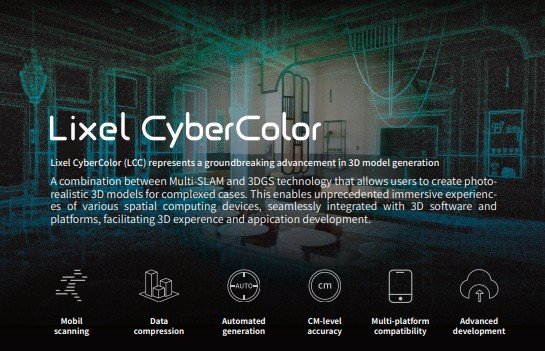
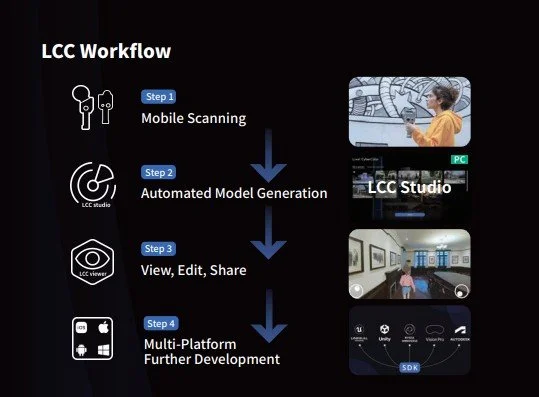
LCC Studio (Lixel CyberColor Studio) is visualization software. It takes raw data from Lixel scanners and the PortalCam and processes it into photorealistic, navigable 3D environments using Gaussian Splatting technology. The output is not a point cloud. It is a model that looks like the real space and that anyone can explore in a web browser without installing any software.
LCC Studio is the software layer that turns a technical scan into a deliverable that a client, owner, or stakeholder can actually use without training. The walkthrough experience is immersive enough that people who have never seen a 3D model before can navigate it immediately. That changes how you communicate about physical spaces.
LCC Studio and LixelStudio are separate tools for different purposes. LixelStudio processes the same raw data into measured point clouds for engineers and surveyors. LCC Studio processes it into visual walkthroughs for everyone else. If you own an L2 Pro or K1, you can run both tools on the same capture data and produce two completely different deliverable types from a single site visit.
What Gaussian Splatting Is and Why It Matters
Gaussian Splatting (3DGS) is a relatively new method for representing captured 3D environments. Understanding how it differs from traditional approaches explains why the output looks so different from what most people have seen from 3D scanning.
How Traditional Methods Look
Point clouds are the raw output of LiDAR: millions of individual dots. At normal viewing distances they look sparse, like looking through a fine mist rather than at a solid surface. Meshes connect those dots into polygonal surfaces, which resolves the sparseness but produces a distinctly geometric, artificial look. Neither approach handles difficult geometry well: foliage, glass, thin cables, and cluttered environments all produce artifacts in both formats.
How Gaussian Splatting Looks
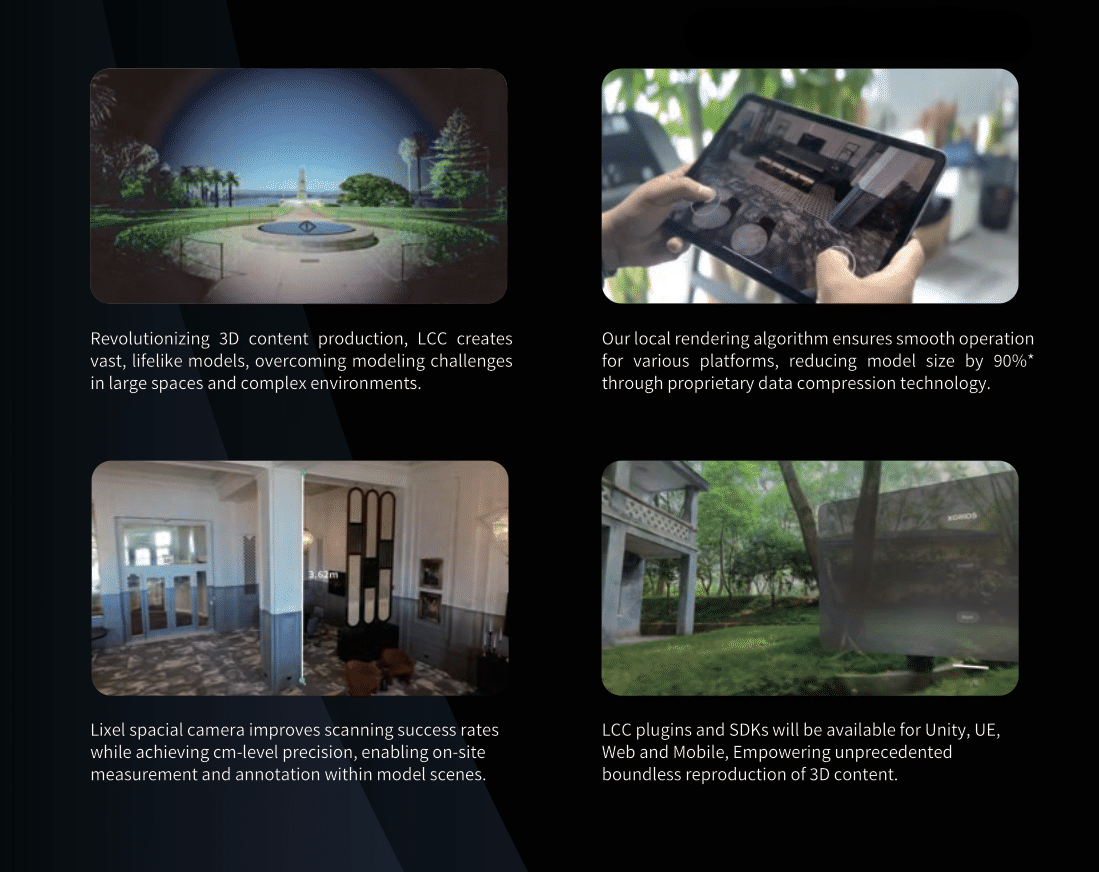
Gaussian Splatting represents the scene as millions of overlapping volumetric ellipsoids rather than points or polygons. These ellipsoids blend together to create surfaces that appear continuous and solid. Lighting, reflections, and view-dependent effects are captured as part of the process, meaning they change dynamically as you navigate through the model the same way they change as you move through a real space. The result does not look like a scan. It looks like a photograph that you can walk through.
File Size and Performance
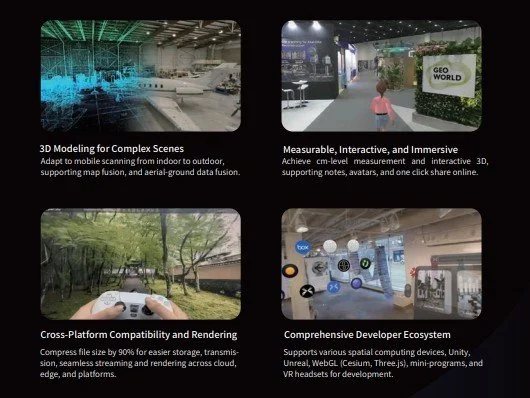
Gaussian Splat models are highly optimized for streaming. LCC format files are 70 to 90% smaller than equivalent PLY files. This is what enables the web publishing workflow: process the model on your workstation, publish with one click, and share a URL that loads on a smartphone browser. Recipients do not need to install LCC Studio or any other software to view what you send them.
Processing time is a real consideration. Standard quality processing runs at approximately 20 minutes of processing time per 1 minute of scan data on recommended hardware. A 5-minute scan takes roughly 100 minutes to process. An RTX 4090 reduces that by 40 to 50%. Plan your hardware and turnaround expectations accordingly before your first large project.
What Professionals Use It For
Basic vs. Premium: What Each Tier Unlocks
LCC Studio is a subscription-based product available in two tiers. The license is annual. Which tier you need depends primarily on your project scale, the devices you use, and whether you need advanced features like Map Fusion, the Revit plugin, or game engine SDKs.
Basic License
Single-session projects; straightforward workflows
Appropriate for smaller projects and straightforward documentation where each capture session produces a single self-contained deliverable.
- Single scene reconstruction
- Standard visualization and colorization
- Web publishing and link sharing
- Viewer and basic editor tools
- Measurement and annotation
- Export to LCC format
- Avatar, Collision, and Portal interaction tools
- Asset Overlay (import .fbx, .glb, .obj models into scene)
- Cloud Data Management (permissions and online model management)
- Camera path recording and flythrough video export
PortalCam Basic includes 1-year Basic subscription.
Premium License Full Capability
Large projects; advanced features; all device types
Required for multi-segment capture, large datasets, L2 Pro and K1 workflows, and advanced features. The right choice for professional AEC teams doing frequent capture.
- Everything in Basic
- Export to LCC and PLY formats
- Map Fusion (multiple scan segments)
- Aerial-Ground Fusion (drone plus ground)
- Aerial Reconstruction (city-scale aerial 3DGS models)
- Large dataset and complex project support
- Cluster Mode (multi-node, multi-GPU parallel processing)
- HD Enhancement (supplementary photo detail)
- Spatial Recognition (floor plan extraction)
- Revit plugin (LCC for BIM)
- Unity, Unreal Engine, NVIDIA Omniverse, and Vision Pro SDKs
- Advanced processing and optimization tools
PortalCam Premium includes 1-year Premium subscription. Strongly recommended for L2 Pro and K1 users. Annual subscription: $2,500.
Which License Fits Your Workflow
LCC Studio with Each Device
LCC Studio is compatible with all three Lixel devices, but the workflow and recommended license tier differ meaningfully by device.
PortalCam and LCC Studio
The PortalCam is entirely dependent on LCC Studio. It has no compatible point cloud processing software. LCC Studio is how PortalCam data becomes a deliverable. Basic license covers straightforward single-session captures. Premium unlocks Map Fusion for multi-battery projects and advanced features for larger workflows.
L2 Pro and LCC Studio
The L2 Pro's primary output is processed through LixelStudio. LCC Studio adds a visualization and client-facing delivery layer to the same raw data. Premium license is strongly recommended; L2 Pro captures large, complex environments that exceed Basic license handling. Enables Aerial-Ground Fusion when drone data is also captured.
K1 and LCC Studio
The K1's compact, primarily indoor datasets work well with either license tier. Basic is appropriate for one-off small projects. Premium enables smoother handling of larger indoor captures, Map Fusion for multi-session buildings, and the Revit plugin for BIM extraction workflows where the K1 is the capture tool.
LCC for BIM: The Revit Plugin
LCC for BIM is a Revit plugin available exclusively to Premium license holders. It connects LCC Studio's Gaussian Splat models directly to Revit's modeling environment and adds AI-assisted tools for extracting BIM components from scan data.
What It Does
Traditional as-built BIM workflows require a technician to trace geometry from a point cloud in Revit: placing walls, locating doors and windows, defining floor and ceiling levels by hand. This process is accurate but slow. On a complex existing building, it is measured in hours per floor.
The LCC for BIM plugin adds automated detection of walls, doors, windows, and floors from the 3DGS model. It can generate parametric Revit objects at the identified locations, which the modeler then verifies and adjusts rather than creating from scratch. XGRIDS documentation indicates this process runs 70% or more faster than manual tracing from a point cloud.
The Revit plugin is designed for renovation, retrofit, and coordination workflows where you are modeling existing conditions rather than starting from a blank design. It requires the Premium license and is most valuable on projects with high component counts, complex floor layouts, or tight delivery schedules where manual BIM extraction from point clouds would otherwise consume significant technician time.
What Your Workstation Needs
LCC Studio is GPU-intensive. Gaussian Splatting reconstruction runs almost entirely on the graphics card. The minimum GPU specification is an NVIDIA RTX 3060 with 12 GB VRAM. AMD GPUs are not supported and have no workaround. This is a hard requirement, not a preference.
AMD GPUs are completely unsupported in LCC Studio. If your processing workstation has an AMD graphics card, it cannot run LCC Studio regardless of how powerful the card is. Verify your GPU before purchasing a subscription, particularly if you are deploying to existing office workstations.
Processing Time Expectations
Processing time scales with scan duration, quality setting, and GPU performance. Standard quality is the practical baseline for production work. Slow quality produces better results but significantly higher VRAM usage and longer runtime.
Processing time is the main operational consideration when deciding between a baseline and a high-performance GPU for your processing workstation. For teams turning around multiple projects per week, the time savings from an RTX 4090 relative to a baseline configuration can be significant across a year of production volume.